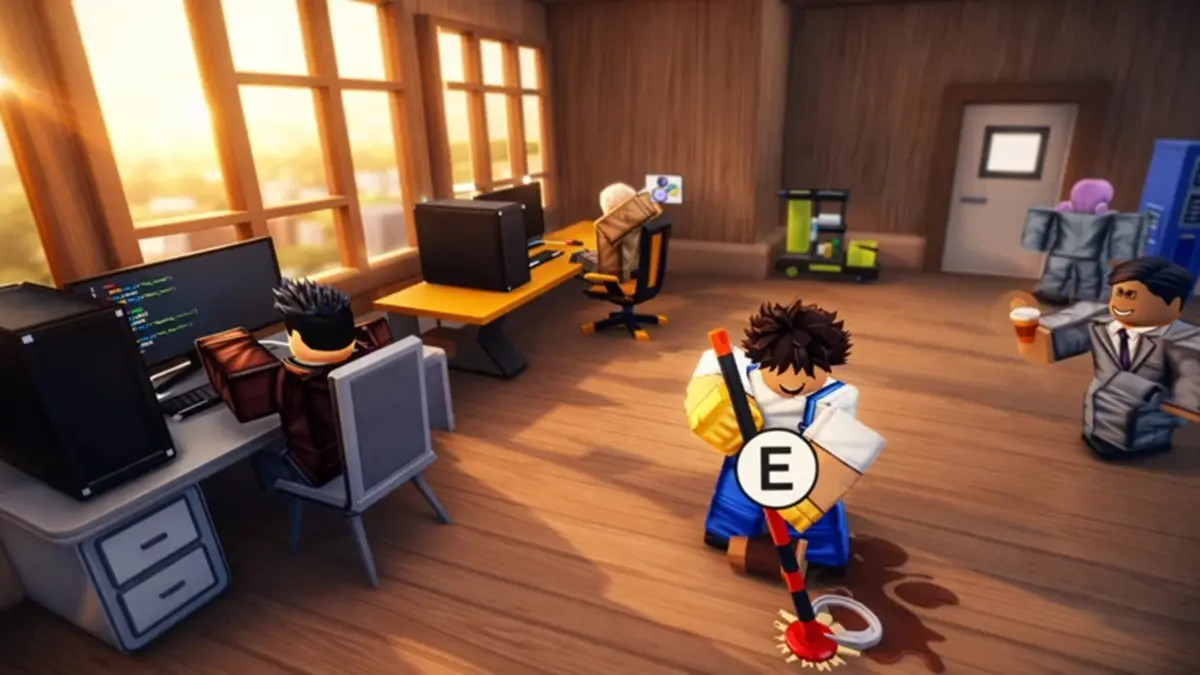
Update: New Coding Simulator 2 codes were added on May 2, 2026.
Coding Simulator 2 is the perfect game to make your coding wizard dreams come true. Start coding and gradually build your business, hire employees, and create your empire in just a few minutes. However, building a coding empire is not an easy task, and for that, you guessed it, you will need codes. Get the latest Coding Simulator 2 codes from our list here and earn free diamonds and boosts. This way, your business will explode in the game instantly.
All New Coding Simulator 2 Codes
- 500kvisits: 30 minutes of 30% cash, diamond, NFT chance, and mining boost (NEW)
- 1000diamonds: 1000 Diamonds (NEW)
Expired Coding Simulator 2 Codes
Currently, there are no expired codes for this game. The codes above are still active, so they will be moved to this section once they expire.
If you love simulation games on Roblox, there are many other games you can try. I recommend trying Drag Drive Simulator, Plant Brainrot Simulator, and Muscle Transform Simulator. Besides these, you can check our list of Roblox game codes and find your next adventure.
How to Use Coding Simulator 2 Codes?
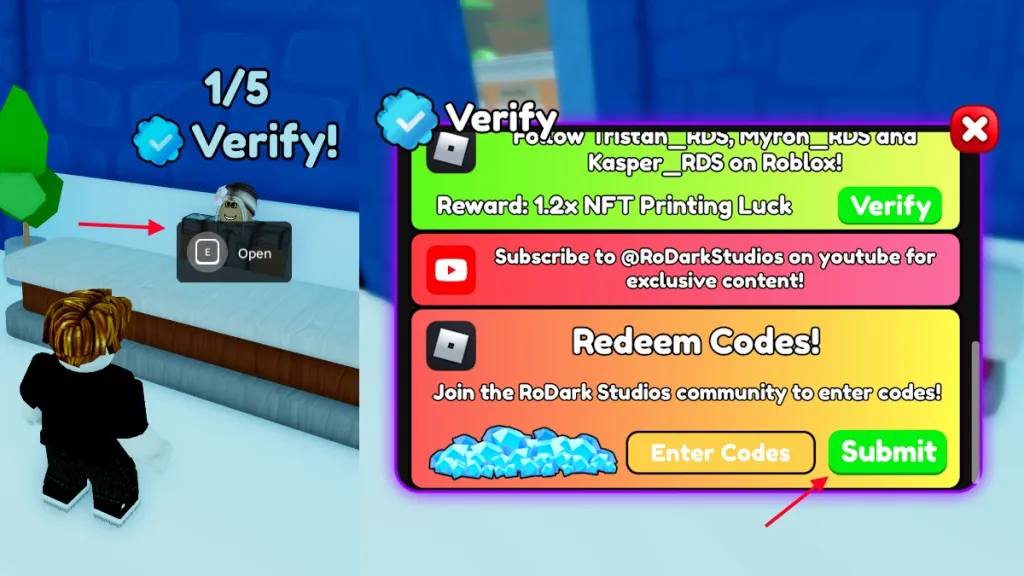
If you want to use Coding Simulator 2 codes, you must first join the RoDark Studios Roblox group. After doing that, follow these steps to use the codes:
- Launch Coding Simulator 2 on Roblox.
- Click on Buy or go to the Shop building.
- Hold the E key to interact with the NPC with the checkmark.
- Type a valid code in the ‘Enter Codes’ box.
- Click the Submit button to claim your rewards.
How to Get More Coding Simulator 2 Codes?
New codes for Coding Simulator 2 are usually released by the developers on their social accounts. Unfortunately, they have multiple social accounts that are hard for an average person to follow. Therefore, the best way to find new codes is to follow our list here. Bookmark our list and visit it when you want to find the latest codes in the game.
Another thing you can do is join the RoDark Studios Discord server. Here, you will receive notifications for game updates. This way, you will know when you need to come here and check the codes.
Why Are My Coding Simulator 2 Codes Not Working?
If your Coding Simulator 2 codes are not working, the first thing you should do is check for any typos. A good indication of this is receiving an Invalid error stating that the code is not available. If you entered a code from our list, that code should be available, so you probably made a typo. Always copy and paste the codes directly from our list to claim your rewards and avoid such issues.
Besides that, the code may have expired. If that's the case, the only thing you can do is wait for more codes.
Do you enjoy creating your coding business in this game? Share your thoughts about the game with us in the comments below.






















Comments
(6 Comments)